3D Halloween Spooky Ghost Papercut: A Unique Addition to Your Creative Workflow
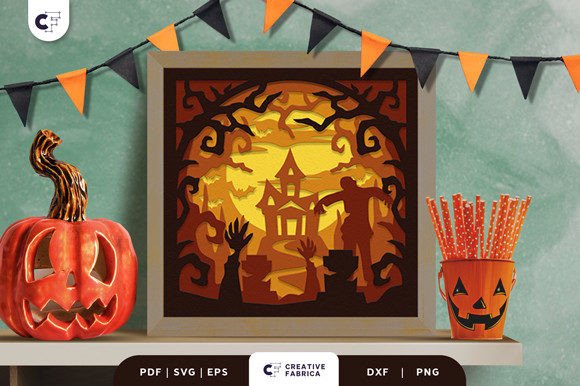
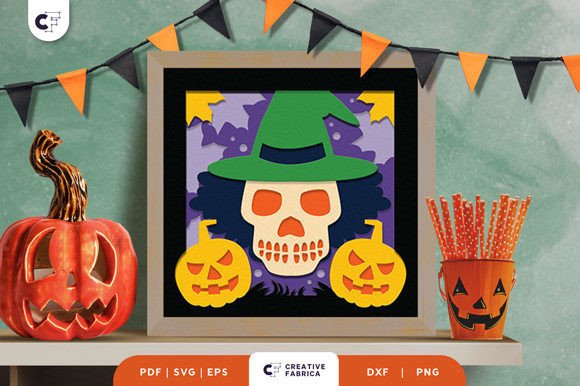
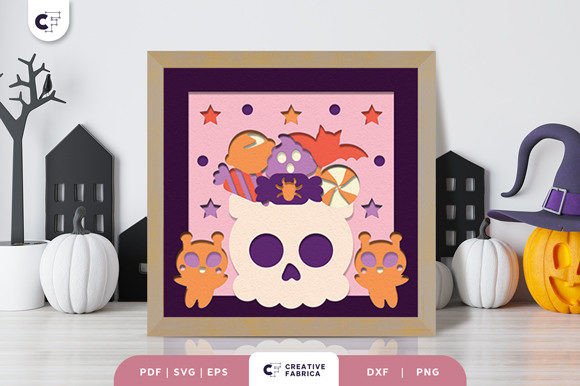
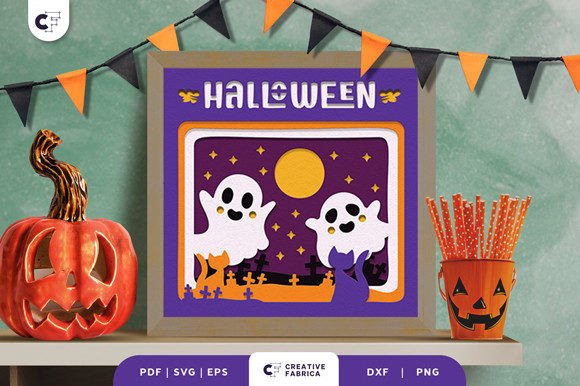
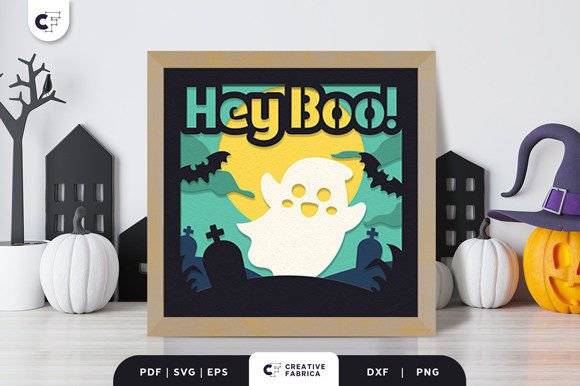
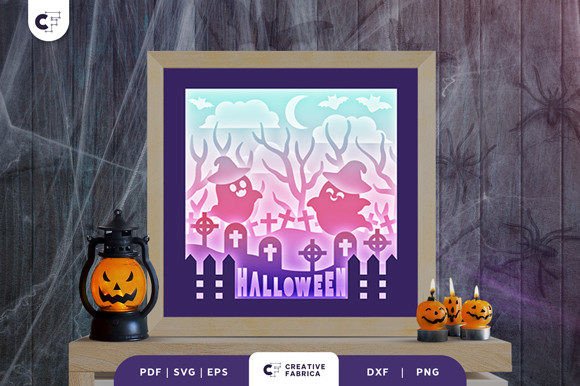
The 3D Halloween Spooky Ghost Papercut is a versatile and visually striking paper craft product designed for enthusiasts who want to bring an enchanting, yet spooky, flair to their seasonal decorations. Specifically, the Witch Ghost 3D Shadow Box features a silhouetted ghost flying above a graveyard in a layered design that adds depth and dimension to any space. It’s not just a decoration—it’s a creative tool that can be seamlessly integrated into various workflows, from event planning to personal art projects.
Understanding the Product and Its Role in Craft Projects
This papercut design is ideal for those looking to elevate their Halloween decor with minimal effort and maximum impact. The Witch Ghost 3D Shadow Box uses a layered silhouette technique to create a sense of movement and realism, making it perfect for shadow box displays, greeting cards, or wall art. The design combines elements of traditional papercutting with modern 3D techniques, allowing users to achieve professional results even with basic tools.
As part of your broader creative process, this product serves as a pre-designed asset that you can customize and incorporate into larger projects. Whether you're creating themed party favors, designing promotional materials for a boutique, or simply enhancing your home décor, the 3D Halloween Spooky Ghost Papercut offers a ready-made solution that aligns with both aesthetic and functional goals.
What You Need to Craft the Witch Ghost 3D Shadow Box
To assemble the 3D Halloween Spooky Ghost Papercut, you’ll need a few essential supplies:
- Cricut or Siser Cutter: These machines are ideal for precision cutting and will allow you to produce clean, accurate layers quickly and efficiently.
- PVA Glue: A reliable adhesive for assembling the paper cut pieces without damaging the delicate cardstock.
- 3D Tape: Essential for layering components to create the illusion of depth within the shadow box.
Additionally, the design is provided in multiple file formats—SVG, PDF, EPS, PNG, and DXF—offering flexibility depending on your preferred crafting method or software compatibility. The 8-layer structure ensures a detailed and dimensional final piece, while the standard size of 20.32×20.32 cm makes it easy to fit into common display frames or project templates.
Integrating the Design Into Different Stages of a Project
The beauty of the 3D Halloween Spooky Ghost Papercut lies in its adaptability across different stages of a project. Here’s how it can be used effectively before, during, and after the creative process:
Before the Project
When planning your Halloween-themed initiatives, consider using the Witch Ghost 3D Shadow Box as a visual anchor. For marketers, it can serve as a sample for social media content or packaging mockups. Educators might use it in classroom activities to teach about symmetry, spatial awareness, or cultural symbolism. Including it in your early-stage brainstorming allows you to visualize the final output and make informed decisions about color schemes, layout, and presentation methods.
During the Project
In execution, the papercut becomes a core component. If you're working with a team or collaborating on a design project, the layered SVG format enables quick prototyping and adjustments. Hobbyists and small business owners can leverage Cricut or Siser machines to batch-produce these designs efficiently. The use of 80 lb cover (216 gsm) Encore Cardstock ensures durability and crisp edges, which are crucial when producing high-quality prints or physical products.
After the Project
Once assembled, the Witch Ghost 3D Shadow Box can be repurposed or reimagined. For example, educators may keep the finished piece as a teaching aid, while entrepreneurs could use it as a template for future holiday collections. Photographers might also find it useful as a prop for themed shoots, extending its value beyond a one-time decorative item.
Workflow Integration and Compatibility
Seamless integration into your workflow starts with understanding the tools and platforms you already use. The SVG, DXF, and EPS files are compatible with most digital design software and cutting machines, making them suitable for both beginners and experienced creators. If you’re working with Adobe Illustrator or Photoshop, the vector-based files provide full customization options. Those using online planners or digital calendars can include the design in virtual event invites or themed email campaigns.
For businesses, this design can be incorporated into marketing strategies by pairing it with other Halloween assets such as banners, brochures, or website headers. The consistent theme of the ghost and graveyard enhances brand cohesion and helps maintain a unified look across all channels. Marketers should consider how the design supports the overall narrative of their campaign, ensuring it aligns with messaging and audience expectations.
Practical Tips for Implementation
- Plan Ahead: Decide where and how you’ll use the design before downloading the files. This ensures you select the right format and prepare the necessary materials in advance.
- Test the Layers: Print each layer individually before gluing them together. This allows you to check alignment and adjust if needed, especially if you're using a new machine or paper type.
- Use Quality Materials: Stick to the recommended Encore Cardstock to ensure the design holds up well and maintains its sharpness after cutting.
- Layer Strategically: Apply 3D tape sparingly to avoid bulking up the design. Start from the backmost layer and build forward to ensure stability.
- Customize Thoughtfully: Don’t hesitate to tweak the design to match your branding or personal style. Adding subtle colors or textures can help it blend better with your existing projects.
Observations on Use Cases and Outcomes
One standout observation is the versatility of the Witch Ghost 3D Shadow Box in both digital and physical spaces. When printed and framed, it can serve as a conversation starter at parties or events. In digital form, it works well as a background element in emails, landing pages, or social media posts. Creators often find that having a physical artifact like this enhances their ability to communicate ideas in meetings or presentations.
Another key point is the role of lighting in showcasing the design. Because it's a silhouette-based papercut, ambient or backlighting can dramatically affect how the ghost appears. Consider placing it near a window or under a soft lamp to highlight the depth and movement of the layers.
Factors to Consider for Long-Term Use and Quality Control
When incorporating the 3D Halloween Spooky Ghost Papercut into ongoing projects, several factors come into play. First, preparation is critical. Always test the design on a smaller scale before mass-producing it. This helps identify any issues with layer alignment or material thickness.
Usability is another consideration. While the design is user-friendly, some variations may require more advanced techniques, especially when customizing individual layers. Keep your workspace organized by labeling each layer and storing unused ones in a dry place until they’re needed again.
For long-term use, especially in commercial settings, consistency in production is key. Establish a clear assembly process and train team members to follow it. This ensures that every version of the design looks professional and maintains brand integrity. Additionally, store completed pieces in a way that prevents warping or damage—using acid-free backing boards or protective cases is highly recommended.
Efficiency and Organization in Crafting Workflows
Efficiency in crafting doesn’t just mean speed—it means optimizing your resources and time. By choosing a pre-cut design like the 3D Halloween Spooky Ghost Papercut, you eliminate the need for manually drawing or tracing complex shapes. This saves hours and reduces the potential for errors, especially if you’re working under tight deadlines or managing multiple tasks simultaneously.
Organizing your workflow around modular elements like this design also streamlines the creative process. Break down your project into phases: design selection, material sourcing, cutting, assembling, and deployment. Assign each phase to specific tools or team members to maximize productivity. For instance, someone with access to a Cricut can handle the cutting phase while another person focuses on assembly and finishing touches.
Quality Control and Final Presentation
Maintaining quality throughout the implementation process is vital, particularly if you're producing items for sale or public display. After cutting each layer, inspect the edges for smoothness and accuracy. Any jagged lines or misalignments can detract from the overall effect. Once assembled, hold the piece up to light to ensure that the shadows and spacing between layers enhance rather than obscure the design.
Consider the environment where the final product will be placed. If it’s going on a wall in a high-traffic area, reinforce the corners with a thin backing panel. If it’s being used in a digital context, compress the image appropriately to balance quality and load times.
Conclusion and Next Steps
The 3D Halloween Spooky Ghost Papercut isn't just a seasonal novelty—it’s a valuable resource for anyone involved in design, marketing, education, or personal creativity. Whether you're looking to add a touch of spookiness to your next event or simply want to explore the world of 3D papercutting, this product provides a solid foundation for innovation and expression.
By integrating it thoughtfully into your workflow and considering factors like compatibility, usability, and efficiency, you can unlock new possibilities in your creative output. And remember, the final product’s appearance may vary slightly based on lighting and paper color—so always test it in your intended setting before finalizing your design choices.
Ready to bring a hauntingly cute vibe to your Halloween plans? Get your 3D Halloween Spooky Ghost Papercut today and let it transform your festive projects. All cardstock used in the examples is available from the 12×12 Cardstock Shop, ensuring you have everything you need to complete your masterpiece with ease and confidence.